Validate Data Before Loading
Validation checks let you define rules that rows must pass before they are loaded to your destination. When a row fails a check, it is held back and you are notified so you can investigate and resolve the issue.
This guide walks you through adding validation checks to a pipeline and handling failures. For detailed configuration options and examples of each check type, see the reference pages:
When to Use Validation Checks
Validation checks are useful when you need to enforce data quality requirements before data reaches your destination. Common scenarios include:
- Ensuring required columns such as IDs or keys are never null.
- Catching duplicate records in a file.
- Enforcing business-logic constraints such as valid value ranges or allowed category values.
Adding a Validation Check
To add a validation check to an existing pipeline, follow these steps:
- Open the pipeline you want to add a validation check to.
- Select Wrangle.
- Click the Validation tab in the right pane.
- Select a column to add a check to.
- Select a type of check to add.
- No Null Values: flags rows where a specified column is null.
- Values Must Be Unique: flags rows with duplicate values in a specified column (file-based sources only).
- Custom Rule: flags rows that don’t satisfy criteria you define.
- Configure any additional options specific to the check type. See the reference page for each type for details.
- Save your configuration by clicking Update Script.
Reviewing and Resolving Failures
When rows fail a validation check, the pipeline will surface the failure as a parsing error. This will result in a notification and a banner on the pipeline page.

When selected, you will be brought to the Wrangler where the failed rows will be highlighted in red to help you identify the issue.
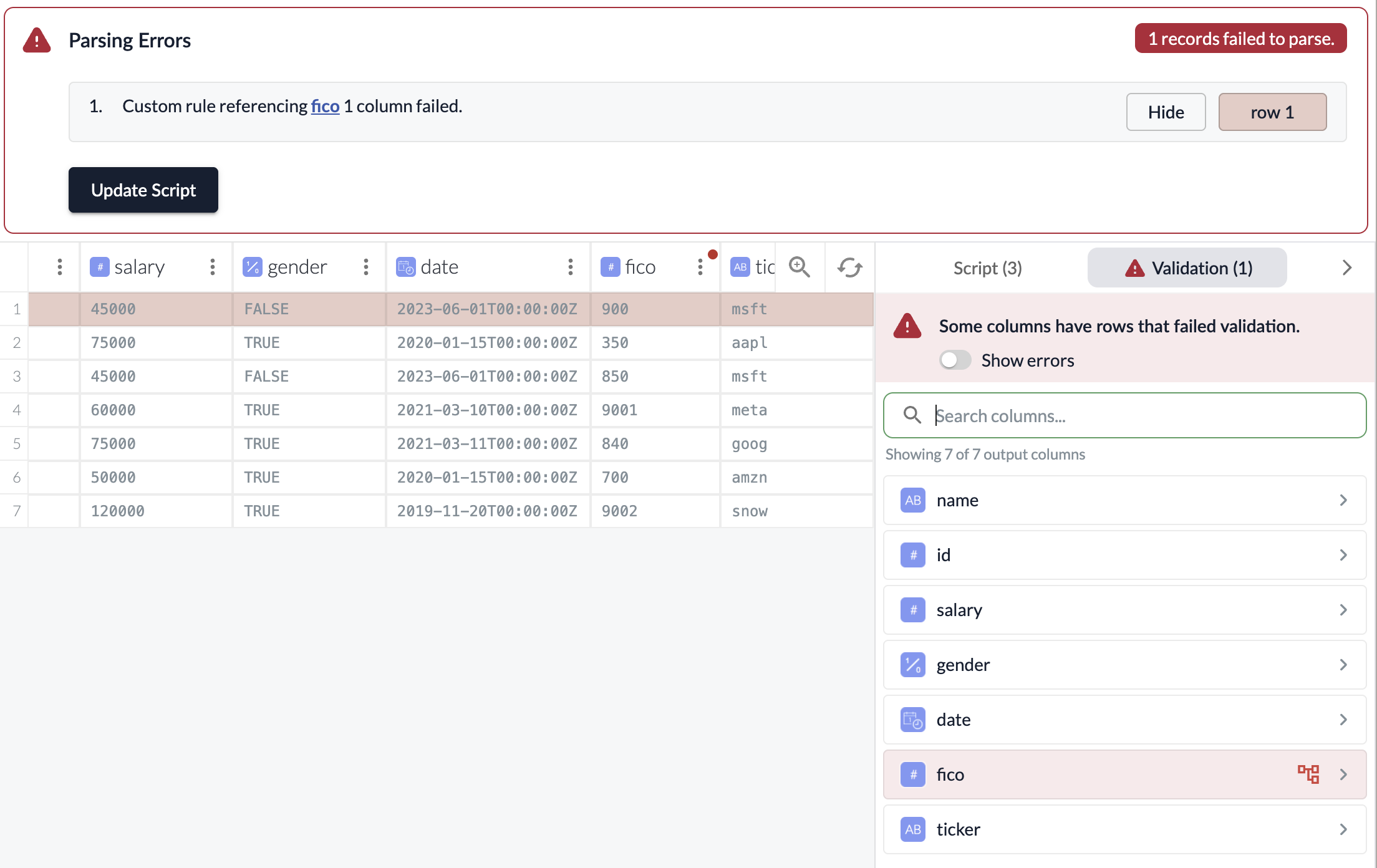
Clicking into the three-dot menu of the output column with the failed checks will allow you to see the check that’s failing for that column.
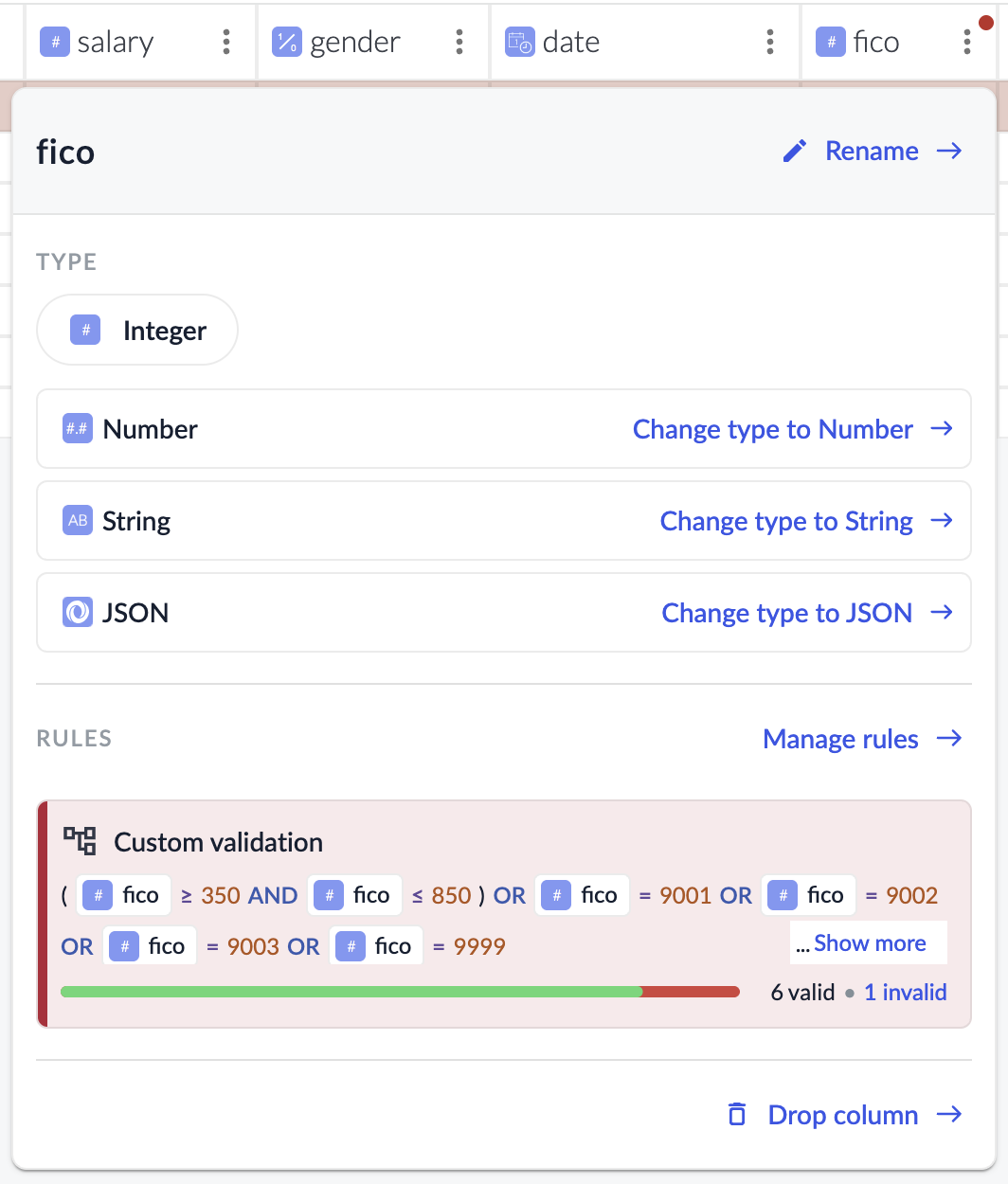
Resolving Failures
Once you’ve identified the cause of a failure, you have several options:
- Fix the source data: Correct the data at the source so it can pass the check.
- Add or update Wrangler steps: Use transforms to clean or reshape the data before validation runs. For example, use Edit Text to normalize values.
- Leave the rows out of the destination: If the failed rows are not critical, you can choose to leave them out and allow the rest of the data to continue to load. To do this, you can adjust your parsing error settings to allow a higher threshold of errors before the pipeline fails. See Parsing Error Settings for details.