Monitoring CDC Connections
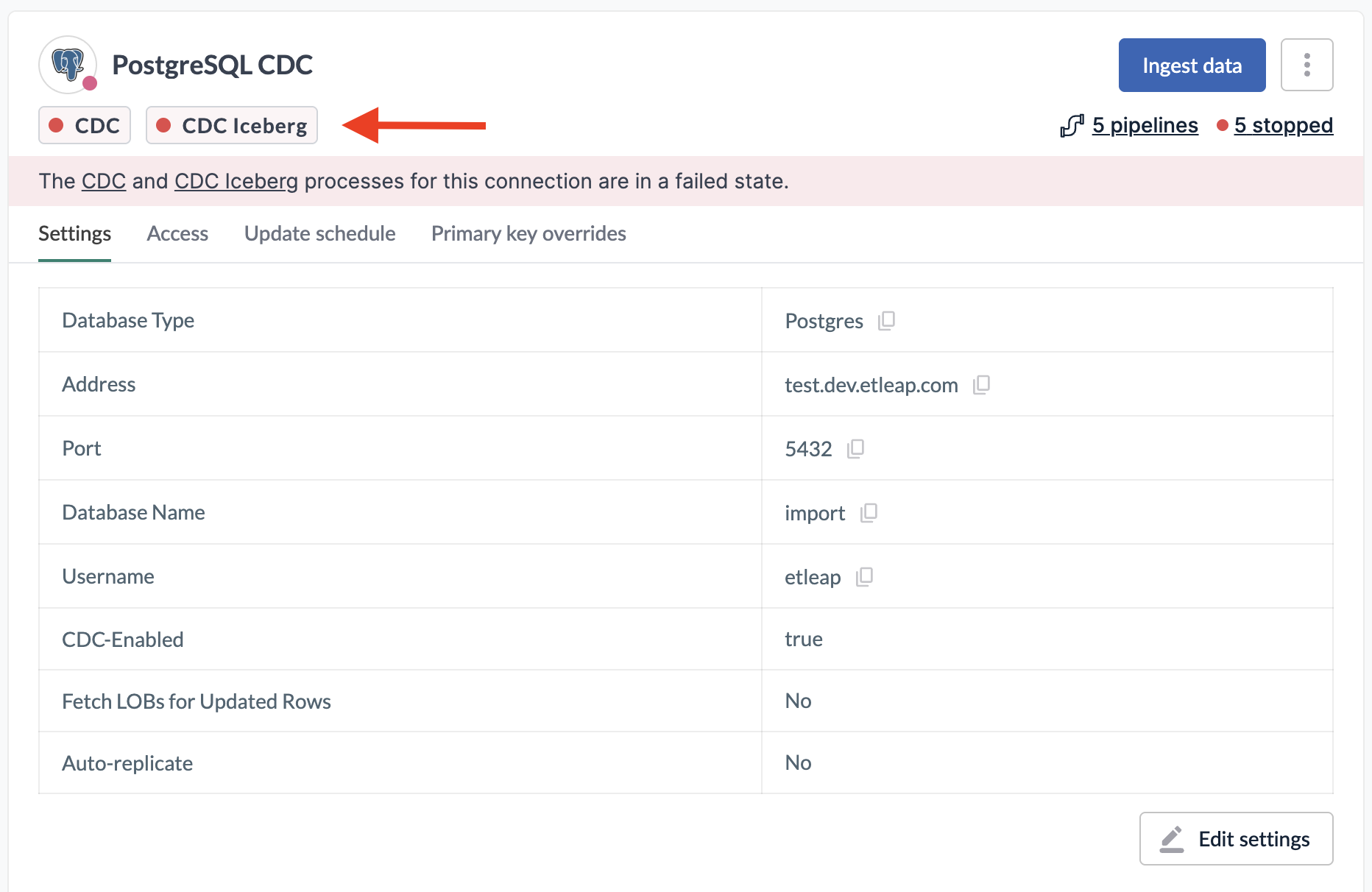
For any CDC connection you have in Etleap, you can view the health of the CDC tasks on the Sources page: select the source and click the CDC button next to the source name (CDC Iceberg for a CDC process that loads to Iceberg).
When a CDC connection goes down, the most common cause is that the underlying AWS DMS task fails. Some DMS task failures require support intervention while resolving other issues can be more self-serve.
CDC Failure Notifications
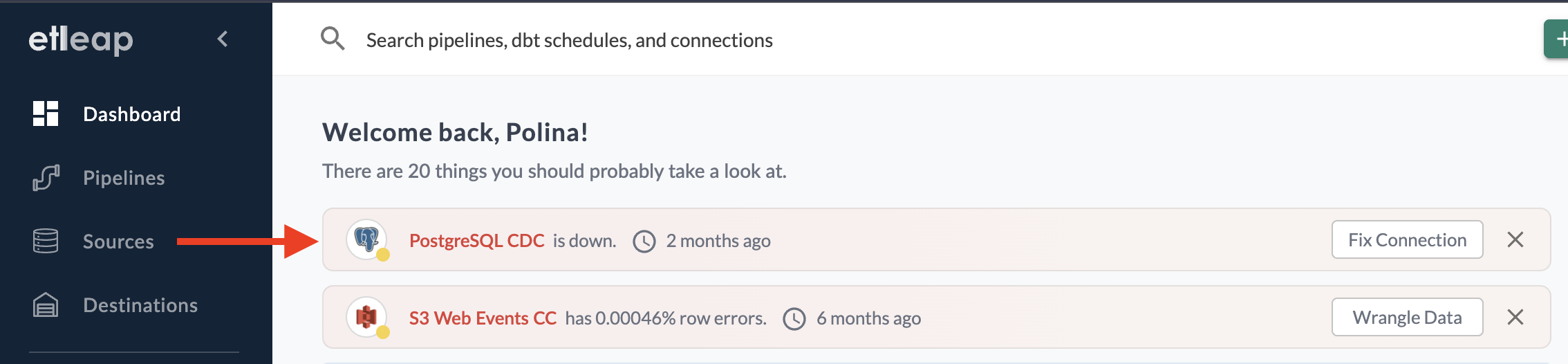
When a connection goes down, you will be notified via email and the Notification overview section in the dashboard. Clicking the Fix Connection button in the notification will take you to the source, where you can click the CDC (or CDC Iceberg) button to see more detailed information.
The CDC (or CDC Iceberg) button opens a window that shows the health of the process, the error details when it fails, and the suggested corrective action to resolve the issue, all within the UI.
In certain cases, the Error Detail section will guide you to make necessary changes to the source database to resolve the issue. Some of these issues and changes are known cases. Check out the links below for detailed information on how to handle some common failures on your own for MySQL and SQL Server. Please note that these common failures are not an exhaustive list of issues with CDC pipelines.
- MySQL: Configure the Binary Logging Format
- MySQL: Enable Binary Logging
- SQL Server: Configure Transaction Log Retention
- SQL Server: Truncate the Transaction Log
What Happens Next
If your connection requires a CDC restart, then all the pipelines ingesting from the source will also refresh. It will fetch all available data in the source and re-process it. Once the refresh is completed, the data in the destination will be replaced. You can read more about pipeline refreshes here.
If the CDC task was only resumed and not restarted, then the pipelines won’t be refreshed. They will continue capturing all the data changes from the source.