JIRA Align
JIRA Align Connections give you access to strategy, execution, and progress data from your enterprise’s program management system.
Source Setup
Please perform the following steps within your Jira Align account to enable API access.
-
Sign in to your JIRA Align account.
-
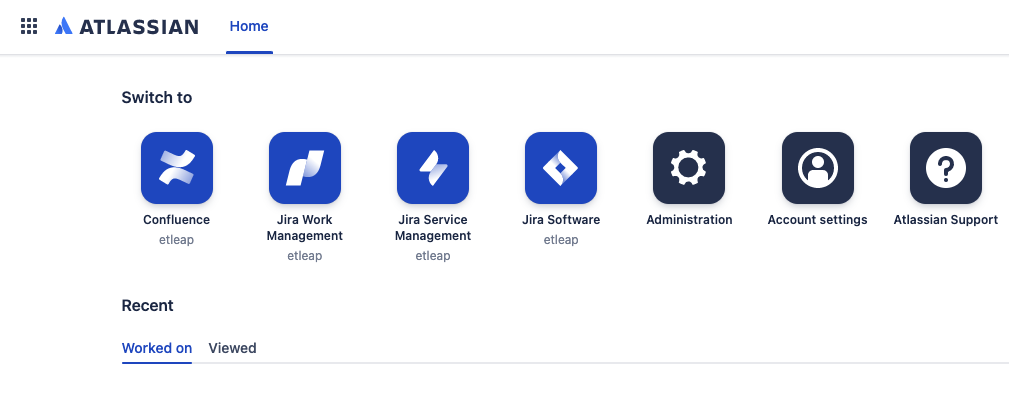
Click Account Settings.
-
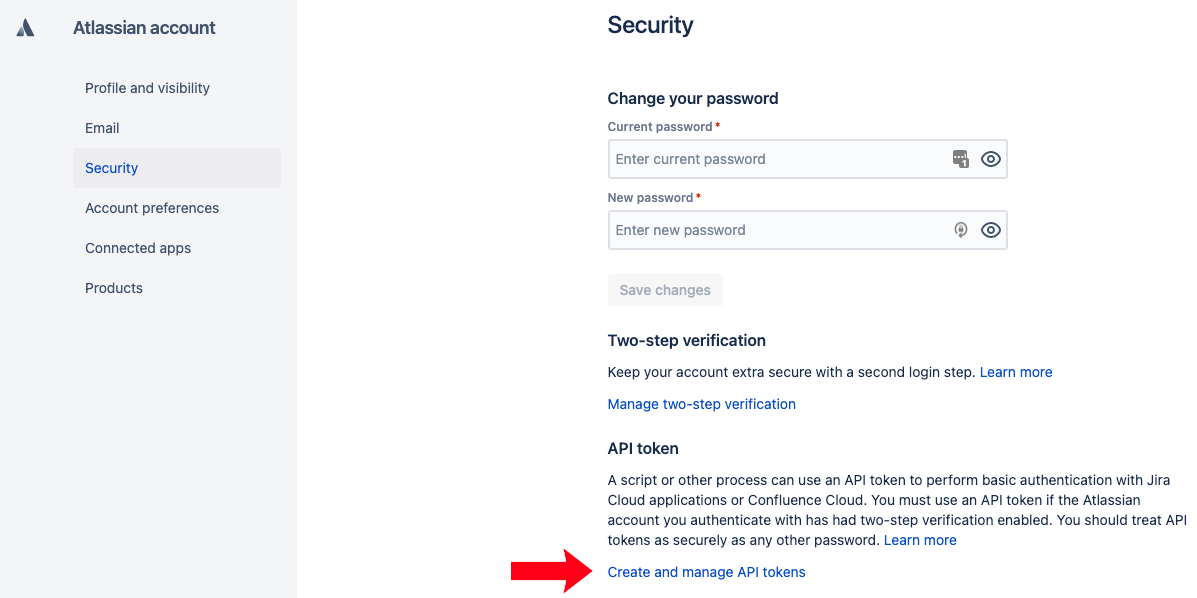
Click Security under the side menu.
-
Click Create and manage API tokens.
-
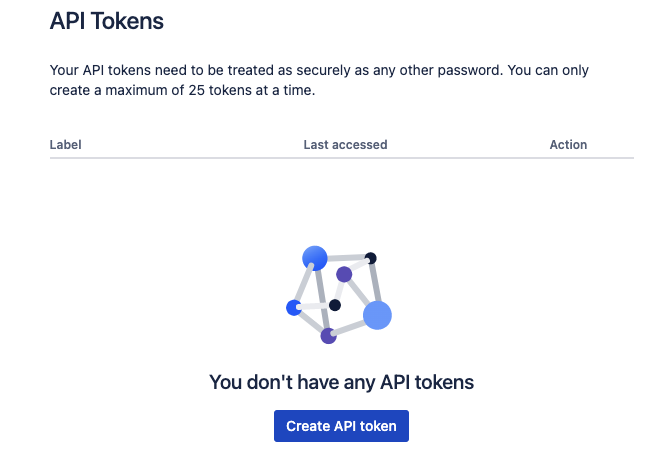
Click Create API token.
-
Use the API Token when creating a connection.
Note
Prefer using an API? Go here and select JIRA Align under the Body Header to create a connection via API.
What Data is Available?
Warning
Update-Mode Deletes Support
Deletes are not supported for update-mode entities with this connector.
You can create a JIRA Align pipeline with the following entities:
| Entity | Pipeline Mode | Iceberg Support |
|---|---|---|
| Capabilities | Update | - |
| Cities | Update | - |
| Customers | Replace | Batch |
| Defects | Update | - |
| Epics | Update | - |
| Epics Audit Logs | Replace | Batch |
| Features | Update | - |
| Features Audit Logs | Replace | Batch |
| Goals | Replace | Batch |
| Ideas | Replace | Batch |
| Iterations | Update | - |
| KeyResults | Replace | Batch |
| Milestones | Update | - |
| Milestones Audit Logs | Replace | Batch |
| Objectives | Update | - |
| Objectives Audit Logs | Replace | Batch |
| Portfolios | Replace | Batch |
| Products | Replace | Batch |
| Programs | Replace | Batch |
| Regions | Replace | Batch |
| ReleaseVehicles | Update | - |
| Releases | Update | - |
| Snapshots | Replace | Batch |
| Stories | Update | - |
| Tasks | Update | - |
| Teams | Update | - |
| Themes | Update | - |
| Users | Update | - |
| ValueStreams | Replace | Batch |
Key Considerations
Every JIRA Align connection represents one specific subdomain.