Row Errors
Row errors indicate the row(s) in your source data that do not comply with either the type defined for the column or the operation applied to it. These errors are identified and logged by Etleap during transformation of your pipeline.
Etleap isolates these row(s) that failed to comply (i.e., row errors) and will not attempt to load the failed rows into the destination, until the row errors are resolved.
Managing Row Errors
When Etleap detects a row error, the pipeline either completely stops or the invalid row(s) that caused the error are isolated and not loaded into the destination. How Etleap handles your row errors depends on your row error settings. You will receive row error notifications from Etleap via one of the following ways:
- The “Heads Up!” warning section of your home page dashboard.
- An individual pipeline’s overview page.
- The transform report from the pipeline’s activity page.
- Email notification if the pipeline was run for the first time.
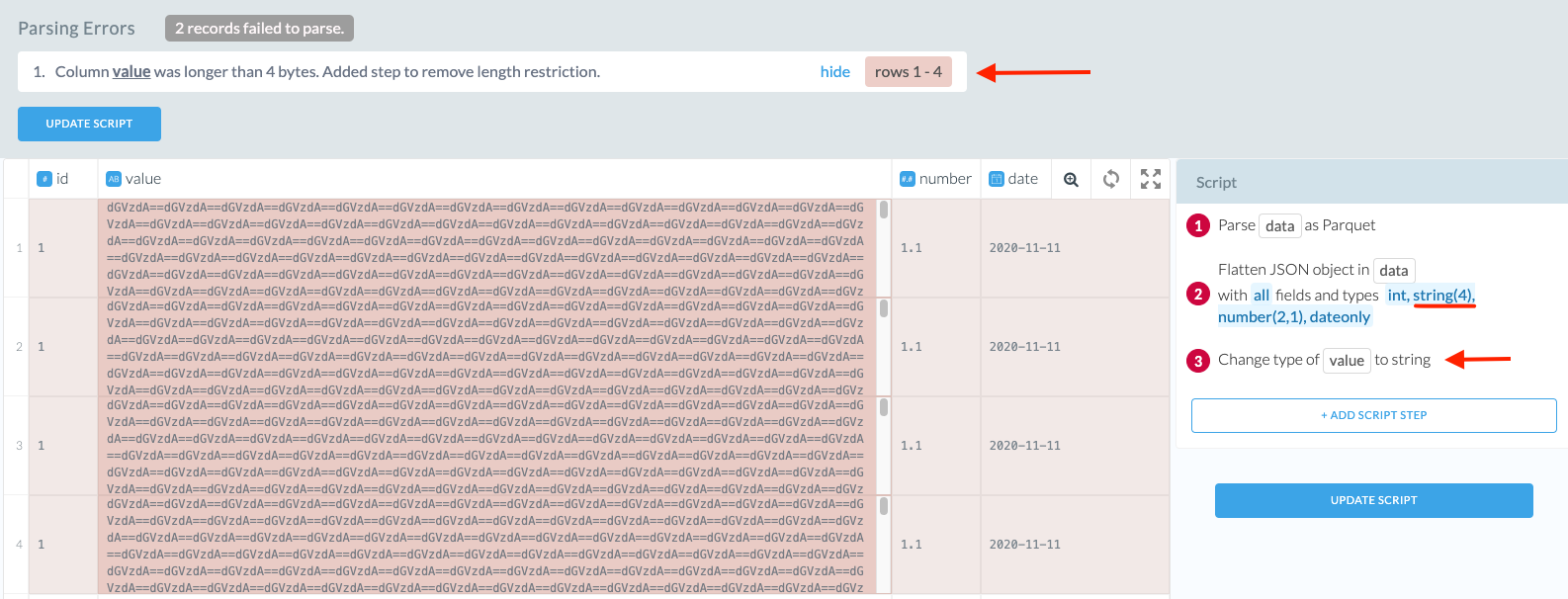
Once identified, Etleap suggests a transform in the Wrangler to resolve the issue. The suggested transform is added to end of the pipeline’s script. You have the option to accept the suggested resolution or add your own step to resolve.
The suggested resolution that Etleap provides is based on the idea of widening the column type to handle the new data, which may not always be the required resolution. If the suggested resolution is not acceptable, you can modify the script or the source data to handle these changes.
Once the resolution is applied to the script, the pipeline begins refreshing to reflect this change.
For a detailed tutorial on resolving row errors, visit our how-to guide here.
Types of Row Errors
There are two major categories of row errors. Type errors happen when the output data type of a transform differs from the type defined for that column. Script errors happen when a transform could not be completed due to some invalid data or data in an unexpected format.
| Category | Row Error | Description | Suggested resolution |
|---|---|---|---|
| Type | Invalid Data Type | Column is of the type X, but there are row(s) of data in the source that are not of that type. | Add a script step to expand the column datatype to a wider one to capture all the source data. |
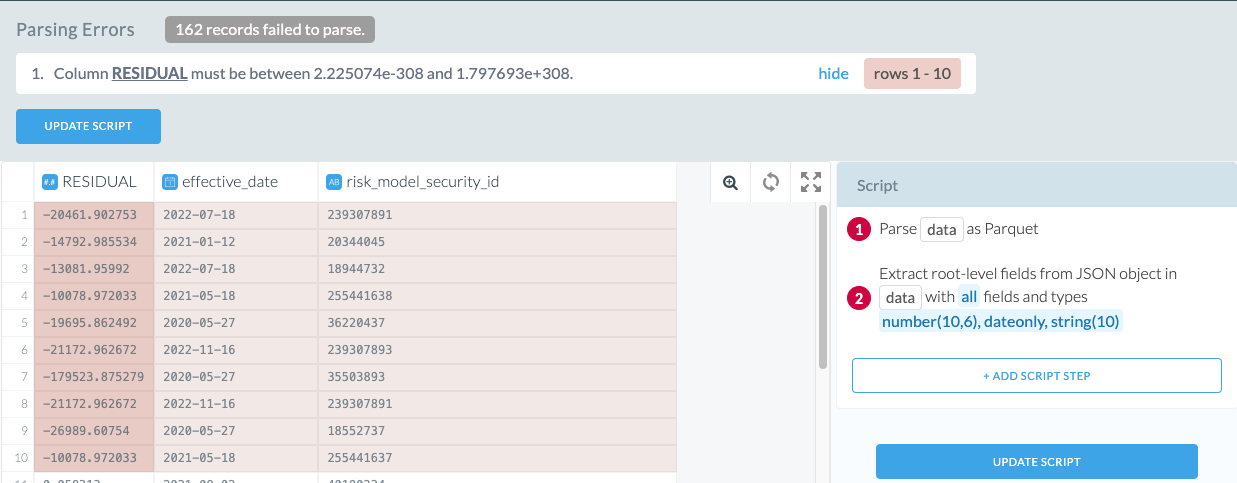
| Type | Data Out of Range | Column value exceeds the range of the specified column data type. | Drop the failing row(s) in the source or edit the values. |
| Type | Destination Type Restriction | The length of the string exceeds the 65535 characters, which is the max length that Amazon Redshift supports | Drop the failing row(s) in the source or edit the values. |
| Type | Unsupported Values | ’NaN’, ‘Infinity’, and ‘-Infinity’ are not supported by Redshift or Snowflake | Drop the failing row(s) in the source or edit the values. |
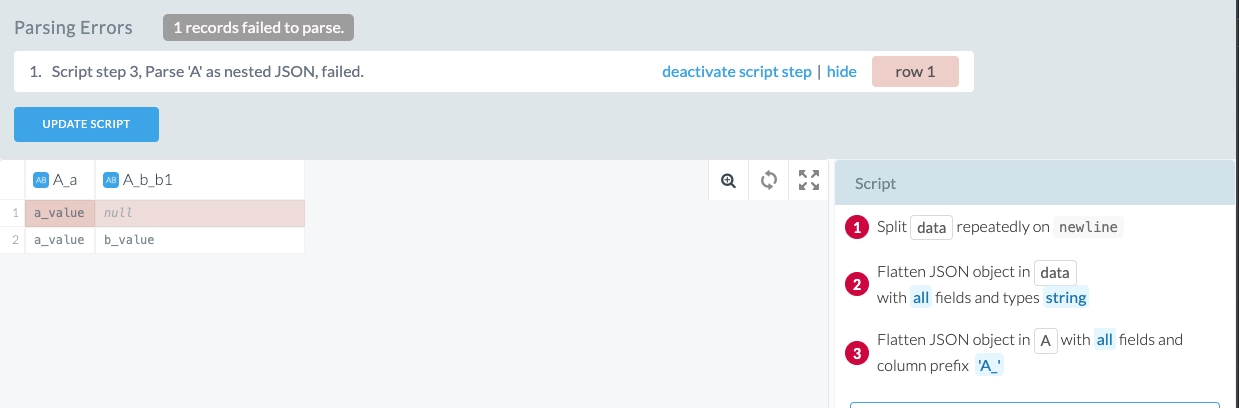
| Script | Failed transform | When the input data to a transform operation is invalid. | Deactivate the failing script step. |
Row Error Settings
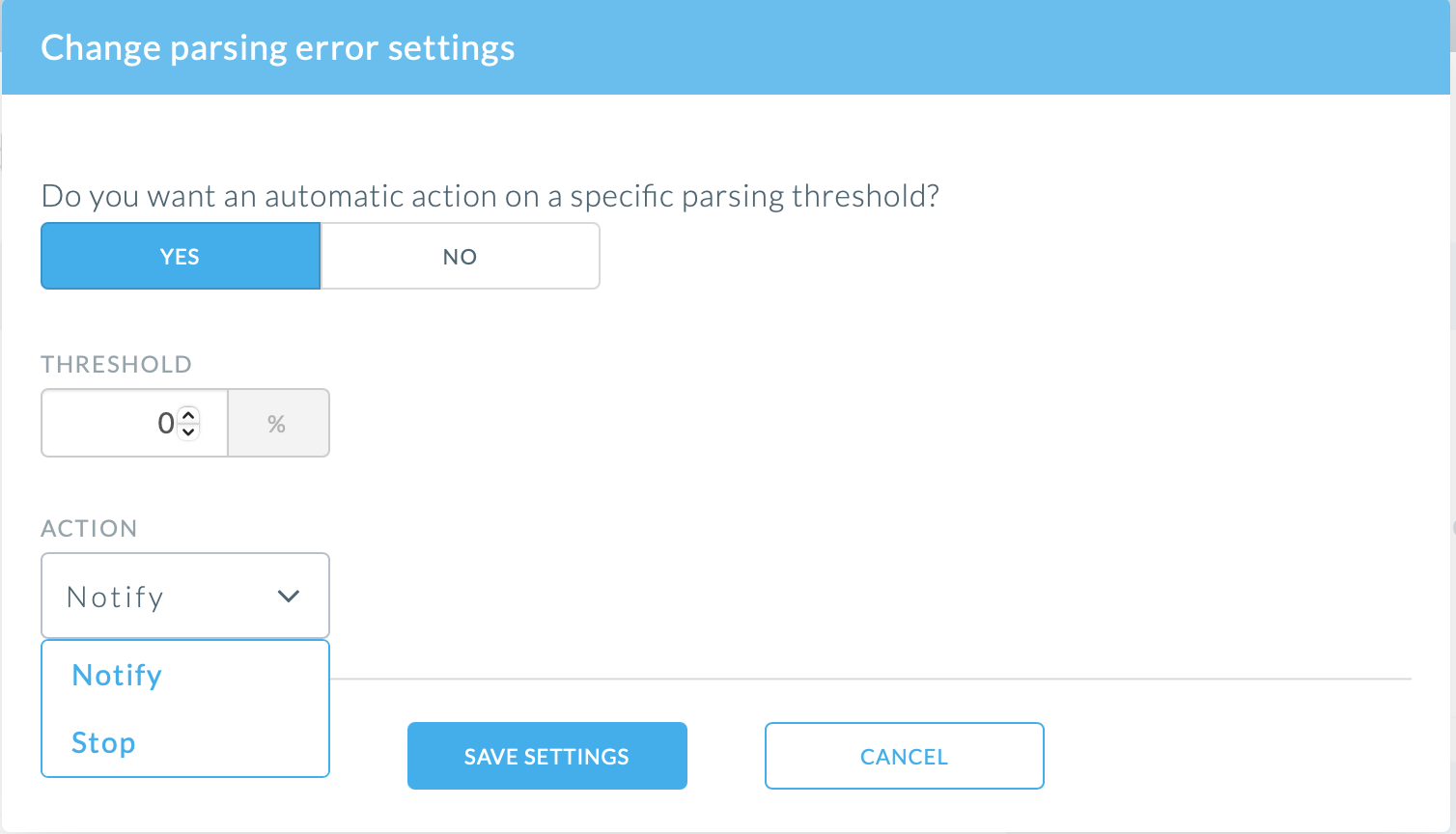
Since row error tolerance is case-specific, Etleap provides the ability to define your own row error settings. You can specify how the pipeline should deal with the row errors in the Overview → Row Errors → Settings tab.
Threshold
Depending on your use-case, a small percentage of row errors might be acceptable or even expected. In other cases, a portion of row errors might be unacceptable.
The threshold setting allows to define the percentage of rows per transformation that can have row errors. If you want zero tolerance for row errors set the threshold to 0%, whereas if some row errors are acceptable, set it to a higher percentage.
Action
You can define the action taken on your pipeline when the defined threshold is crossed. The Notify setting lets the pipeline processing continue, isolates the invalid rows, and sends you a notification. The Stop setting pauses pipeline processing until the row errors are addressed.