UserVoice
UserVoice connections give you access to your company’s product feedback data.
Source Setup
UserVoice uses a Bearer authentication method that requires an ACESSS TOKEN to enable API access. Please perform the following steps to allow Etleap to extract data from your UserVoice account.
- Navigate to Settings → Integrations → UserVoice Api Keys.
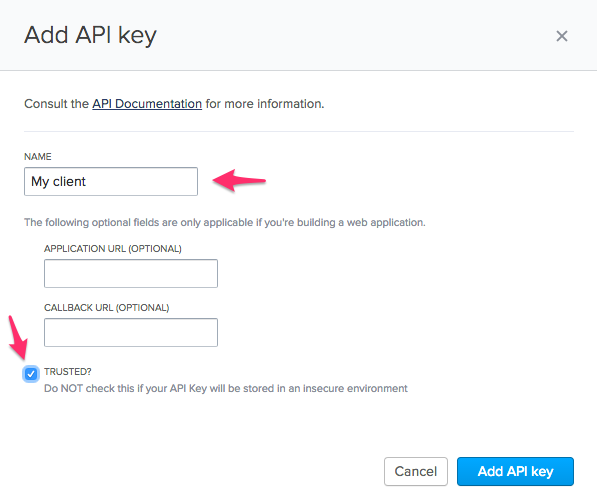
- Click on the Add API Key button and choose a client name.
- Leave the APPLICATION URL and CALLBACK URL fields blank. Select the TRUSTED? checkbox.
- Click Add API key.
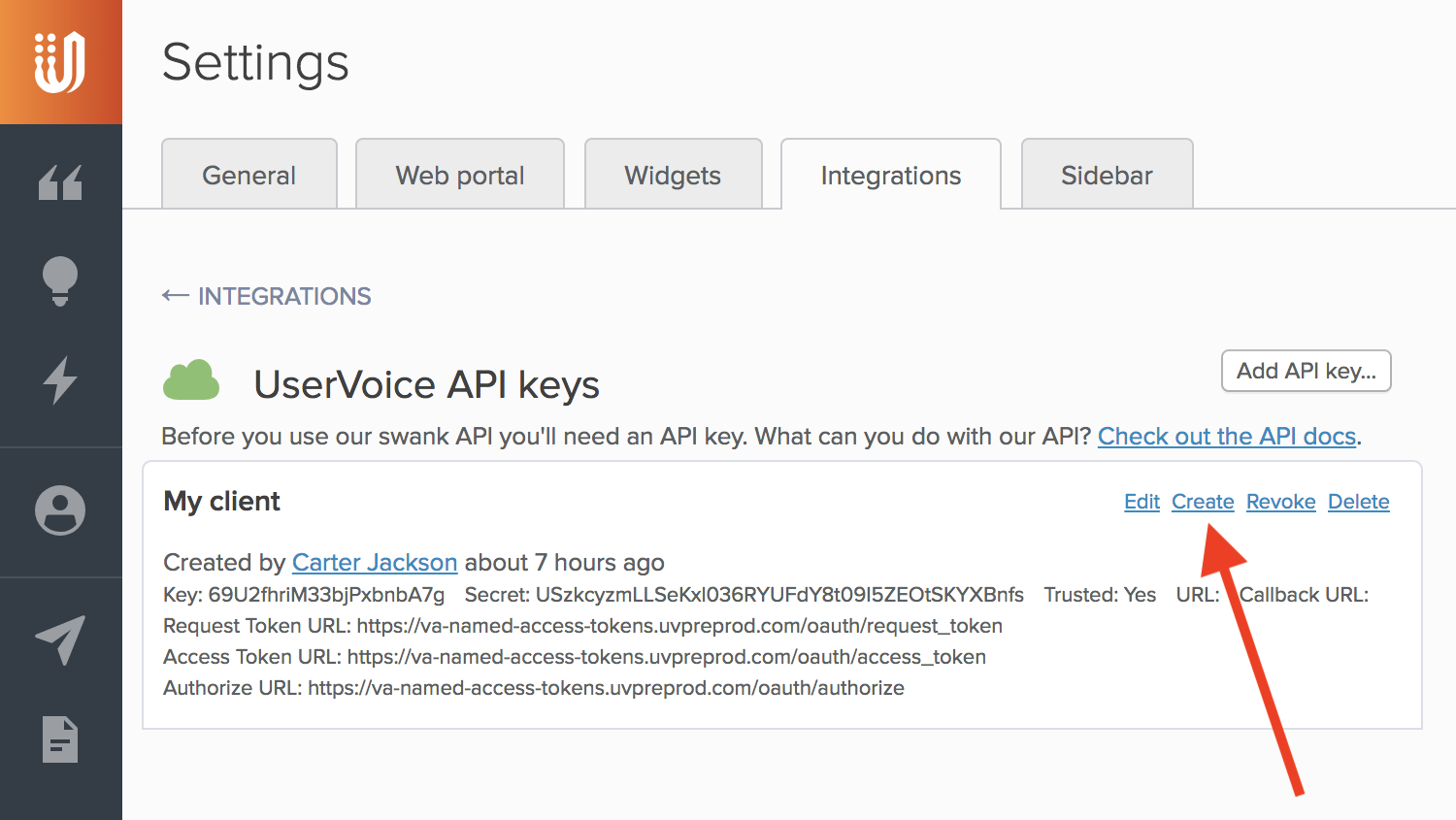
- Generate a new API Key by clicking the Create link at the top right corner of your Client.
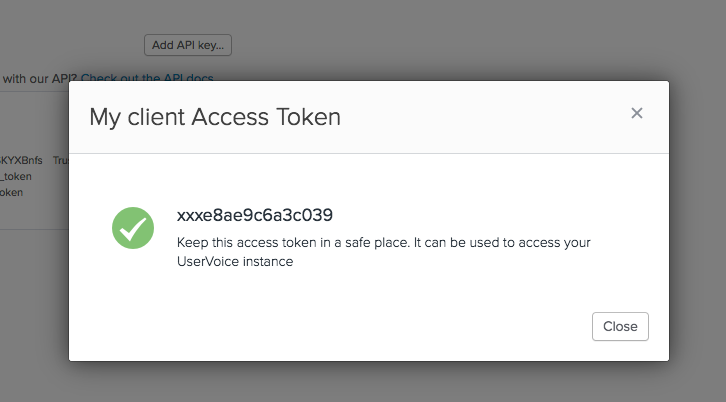
- Store the generated API Key. You will need this information when creating your Etleap connection.
- You will also need your sub domain name. It’s the root name that precedes uservoice.com (e.g., https://domain.uservoice.com/).
Prefer using an API? Go here and select UserVoice under the Body header to start creating your connection via API.
What Data is Available?
Warning
Update-Mode Deletes Support
Deletes are not supported for update-mode entities with this connector.
You can create UserVoice pipelines with the following entities: