Databases Overview
Etleap can extract data from the most popular database types. This is either done through the database’s native change data capture (CDC) mechanism or through SQL queries executed against the source tables. The table below shows the databases Etleap can extract from, and the available extraction methods.
| Database Type | Query-Based Support | Change Data Capture (CDC) Support |
|---|---|---|
| Azure SQL DB | Yes | No |
| Azure SQL Managed Instance | Yes | Yes |
| BigQuery | Yes | No |
| DB2 | Yes | No |
| MariaDB | Yes | Yes |
| Microsoft SQL Server | Yes | Yes |
| MongoDB | Yes | Yes |
| MySQL | Yes | Yes |
| Oracle | Yes | Yes |
| PostgreSQL | Yes | Yes |
| Redshift | Yes | No |
| SAP HANA | Yes | Yes |
| Snowflake | Yes | No |
CDC Address
When CDC is enabled, Etleap performs two types of extractions against the source database: initial catch-up extractions (query-based) and ongoing change data capture (CDC) from the replication logs. Catch-up extractions always use the connection’s main host.
By default, CDC also uses the connection’s main host. You can optionally configure a separate CDC Address (hostname and port) to direct change capture to a different host. This is useful when the connection’s main host is a read replica: catch-up queries can run against the replica while CDC reads replication logs from the primary node.
The CDC Address must be reachable from Etleap and accessible with the same credentials.
Auto-Replicate Destination
When Auto-Replicate Destination is enabled for a source database connection Etleap will automatically create pipelines in the specified destination for each table in the source. Any source table that has a pipeline attached to it already will be skipped in this automatic creation.
Each automatically created pipeline will be named according to its schema and tablename: <schema-name> - <table-name>. If a pipeline with this name already exists, a number will be appended to the name, e.g. Schema - Table 2.
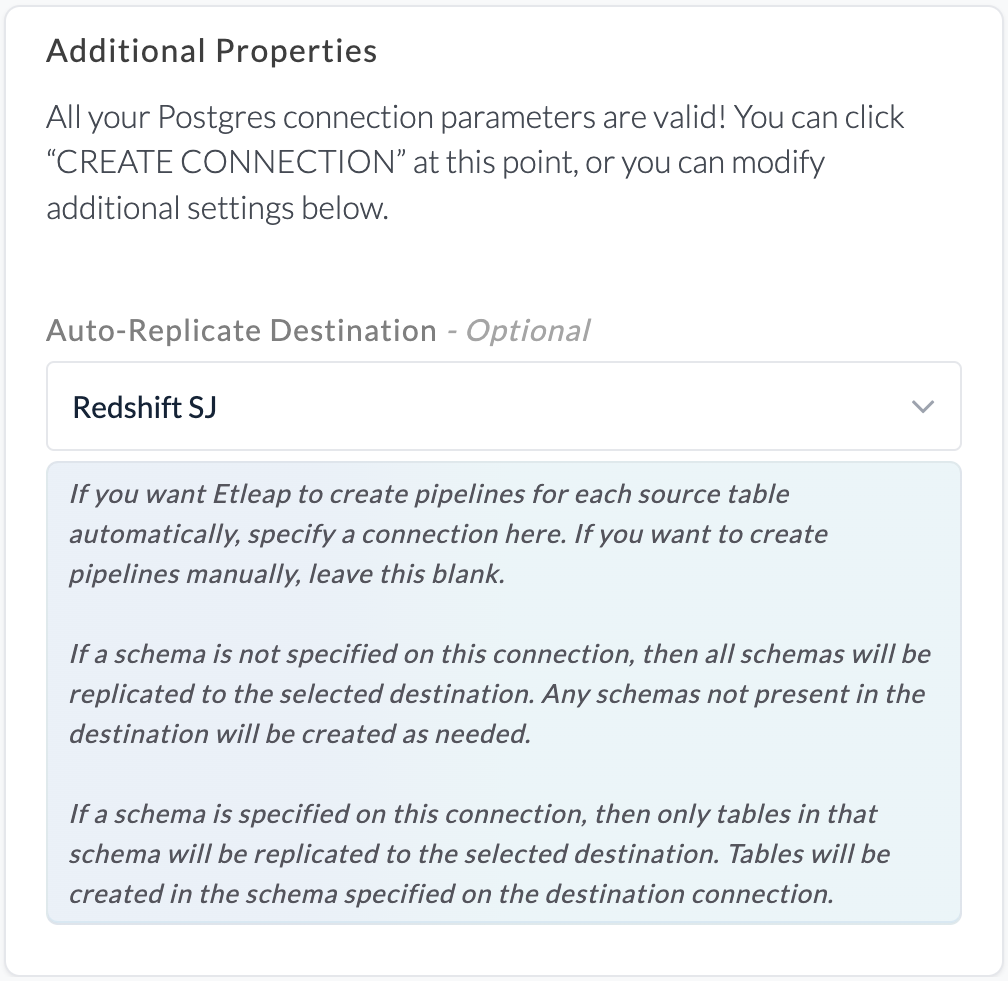
If Auto-Replicate Destination is enabled and a schema is specified for the source database connection, tables in that schema will be created within the schema defined on the selected destination database connection. In the example below, this is public.
If Auto-Replicate Destination is enabled and a schema is not specified for the source database connection, tables in all schemas of the source database connection will be created in corresponding schemas in the destination database connection. If corresponding schemas do not already exist in the destination database connection, these will be created.
Partitioned Tables
Etleap supports extracting from partitioned tables: multiple source tables that share a naming pattern and represent segments of the same logical dataset.
This is common when data is split across tables by time period or category (e.g., events_2023, events_2024, events_2025).
To set up a partitioned table pipeline, use a table name regex when selecting the source table. All tables matching the regex are treated as partitions of a single pipeline and are extracted into one destination table. Both query-based and CDC extraction modes are supported.
Schema Handling
When multiple partitions have different column sets, Etleap uses the schema of the alphabetically last table matching the regex.
This is typically the most recent partition (e.g., events_2024 comes after events_2023).
- Columns present in the latest table’s schema but missing from an older partition are filled with
NULL. - Extra columns present in an older partition but not in the latest table’s schema are dropped.
Example
Given two source tables matching the regex events_.*:
| table | id | name | |
|---|---|---|---|
| events_2023 | 1 | Alice | alice@co.com |
| events_2023 | 2 | Bob | bob@co.com |
| table | id | name | phone | |
|---|---|---|---|---|
| events_2024 | 3 | Carol | carol@co.com | 555-0100 |
| events_2024 | 4 | Dave | dave@co.com | 555-0101 |
Since events_2024 is alphabetically last, its schema [id, name, email, phone] is used for the destination.
The resulting destination table looks like this:
| table | id | name | phone | |
|---|---|---|---|---|
| events_2023 | 1 | Alice | alice@co.com | NULL |
| events_2023 | 2 | Bob | bob@co.com | NULL |
| events_2024 | 3 | Carol | carol@co.com | 555-0100 |
| events_2024 | 4 | Dave | dave@co.com | 555-0101 |
Rows from events_2023 have NULL for the phone column since that column does not exist in the older partition.
If a column is dropped in the latest table, it will also be removed from the destination. Schema changes applied to older partitions are not detected.
New Table Detection
When a new table appears in the source that matches the pipeline’s regex pattern, it is automatically detected and included in the pipeline.
Considerations
- Primary keys must be unique across all partitions. Etleap does not deduplicate rows between partitions.
- To identify the source table of each row, use the Add file path transformation.
- Schema changes applied to older partitions (i.e. not the alphabetically last table) are not detected.
- The schema-determining table is based on alphabetical ordering. Ensure your table naming convention produces the correct ordering (e.g., use zero-padded years or sequence numbers).
- For CDC pipelines, only
.*is recognized as a valid regex pattern. E.g.events_.*is valid, butevents_[0-9]{4}is not.
Primary Key Overrides
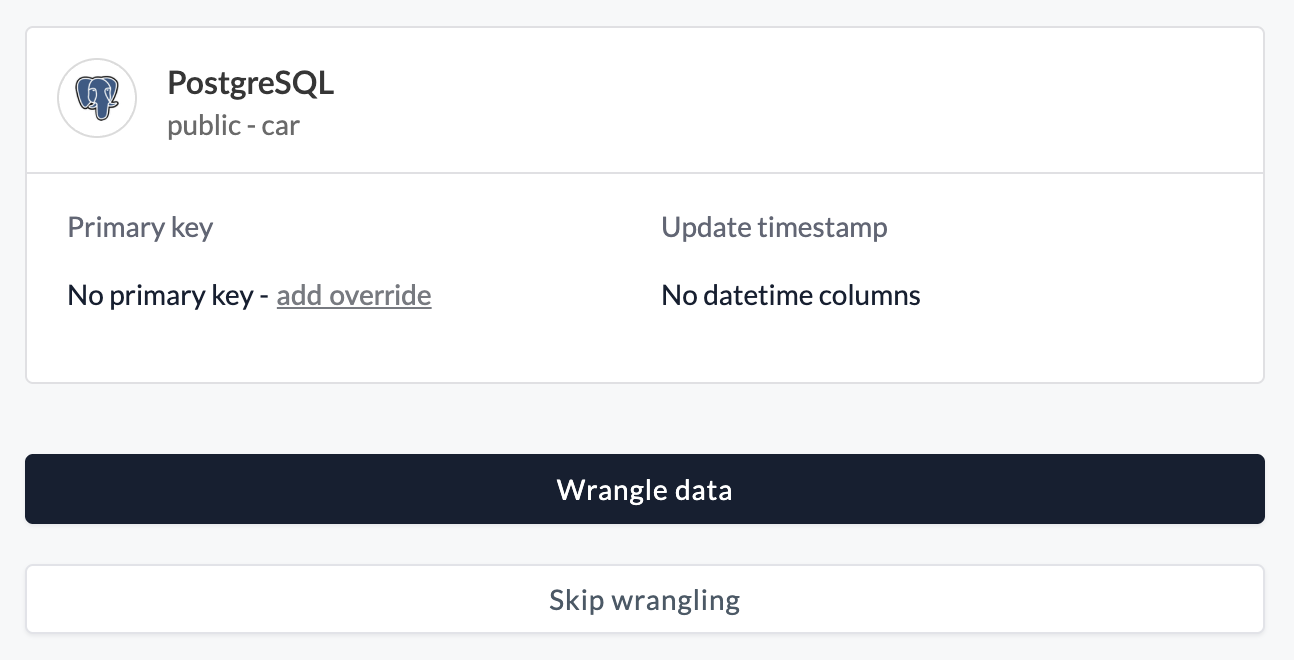
Etleap uses the primary key defined on the source table to uniquely identify rows during extraction and deduplication. If a source table has no primary key, or if you want to use a different column (or set of columns) as the unique identifier, you can configure a primary key override.
Setting a Primary Key Override
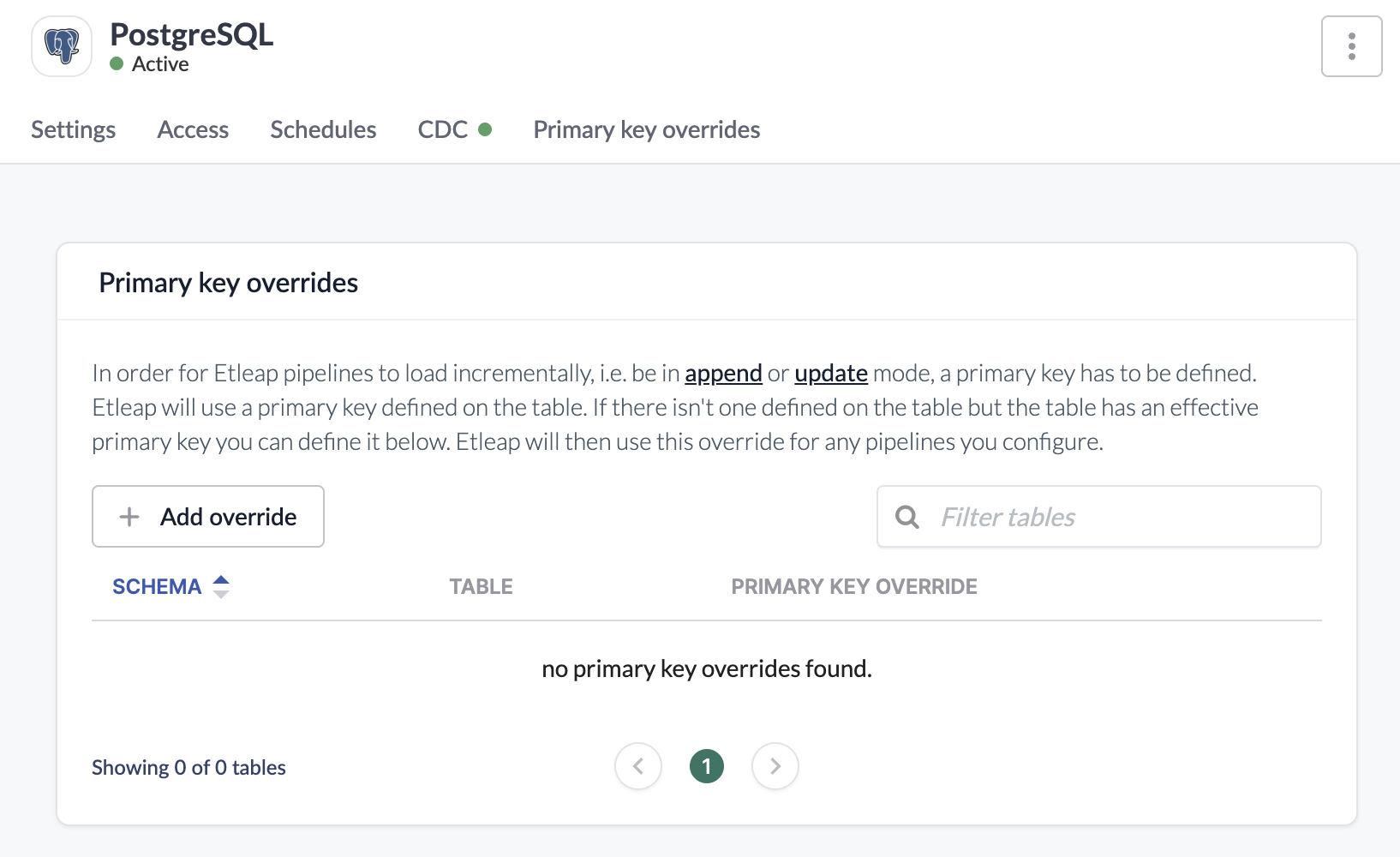
A primary key override can be added while creating a pipeline or by editing the connection.
During pipeline creation after selecting the source table add an override to specify the column(s) to use as the primary key.
From the connection, go to Primary key overrides —> Add override, find the source table, and set the primary key overrides.
The combined size of the primary key columns’ values for any single row must not exceed 64 KB.
What Data Does Etleap Store for Databases?
All data extracted by Etleap is stored in your S3 Intermediate Bucket. This data may be used by future refreshes of your pipelines.
Data from tables that are not being replicated by Etleap is never written to the S3 Intermediate Bucket or otherwise held by Etleap. This includes CDC data that is read from the source database’s binary/transaction log. Although the source database log may contain data for all tables, Etleap never reads or stores data for tables that do not have Etleap pipelines.
Limitations
LOB Truncation
All LOB values are truncated to a maximum size of 512KB for both CDC and query-based extraction methods.