Seismic
Seismic connections give you access to your company’s sales enablement and revenue management data.
Source Setup
Please perform the following steps to obtain individual API credentials to authorize access to Seismic’s Reporting API:
-
Create a new Seismic app using the App Registration Portal
-
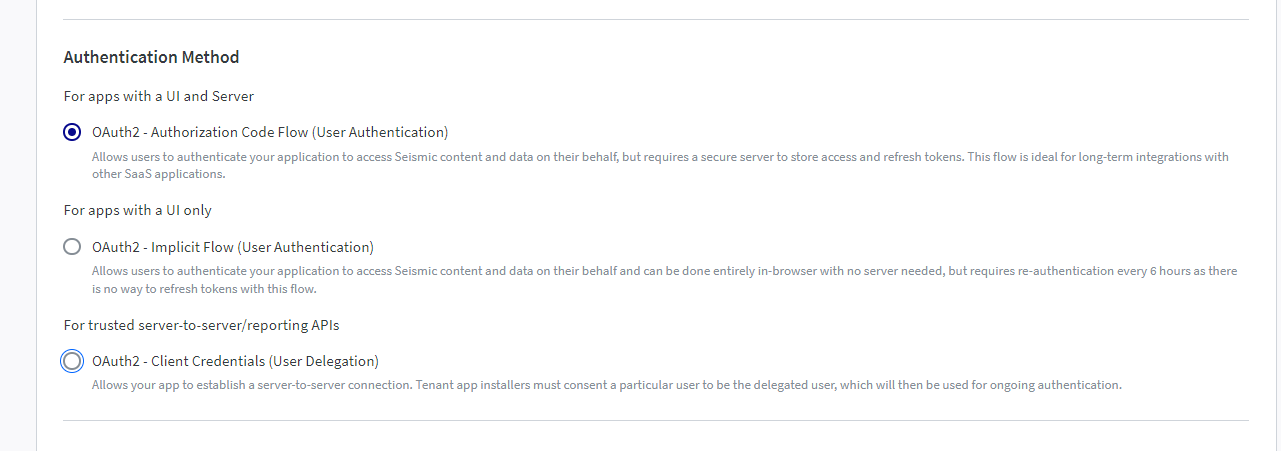
Select OAuth2 - Authorization Code Flow (User Authentication) as the authentication method.
-
In your app settings configure the following redirect_uri: “https://api.etleap.com/web/v1/connection/oauth2Callback/SEISMIC ”.
-
Enable the seismic.reporting for your app.
-
Enable the app witihin your tenant under Admin → System Settings → My Apps (You must be a Seismic Admin).
Prefer using an API? Go here and select Seismic under the Body header to create your connection via API.
What Data is Available?
Update-Mode Deletes Support
Deletes are not supported for update-mode entities with this connector.
You can create Seismic pipelines with the following entities: