Kustomer
Kustomer connections give you access to your customer service data.
Source Setup
Etleap connects to Kustomer via API Key-based authentication. Please perform the following steps within your Kustomer account to generate API credentials required for creating a connection in Etleap.
-
Open the Kustomer App and sign in.
-
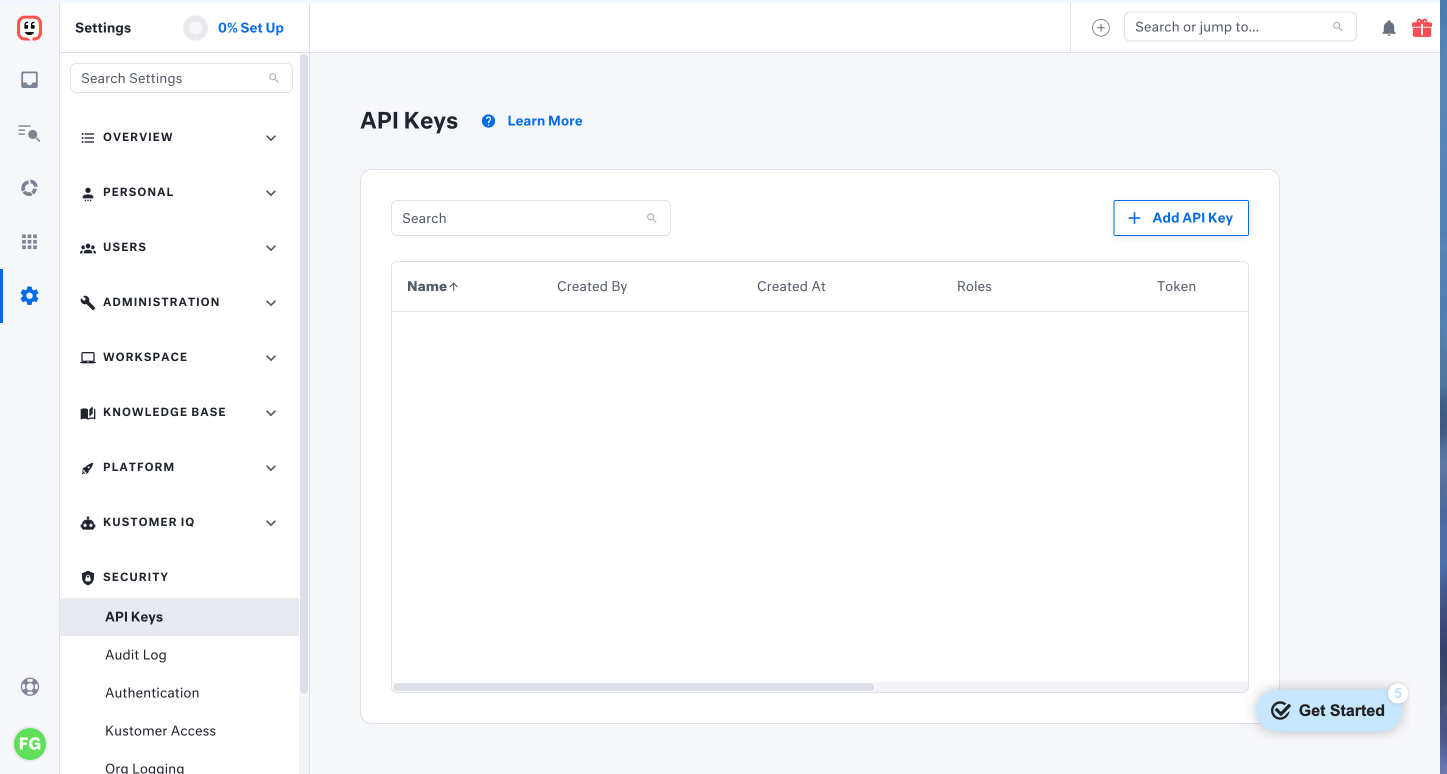
Navitage to Settings → Security → API Keys.
-
Click + Add API Key.
-
Enter a Name and select the following Roles.
- org.admin.read
- org.admin.spam.read
- org.permission.read
- org.user.read
- org.permission.search.create
- org.permission.search.update
- org.permission.search_global.create
- org.permission.search_preview.create
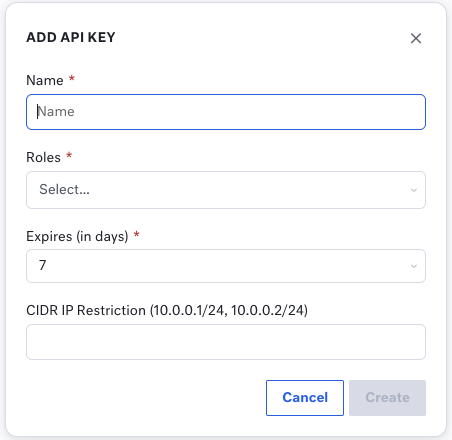
- Select the expiration date to your API Key.
If the API Key expires, Etleap won’t be able to extract new data.
- (Optional) If you want to restrict access to Etleap only, please enter the appropriate IP address from the IP Whitelisting article followed by
/32. - Create your API Key and copy the TOKEN. For security reasons, the TOKEN will only be displayed once.
You will need the TOKEN when creating a connection in Etleap.
Prefer using an API? Go here and select Kustomer under the Body header to start creating a connection via API.
What Data is Available?
Check out the Kustomer entities and relationships that you can load to your destination below.
Update-Mode Deletes Support
Deletes are supported for update-mode entities with this connector.
You can create Kustomer pipelines with the following entities: