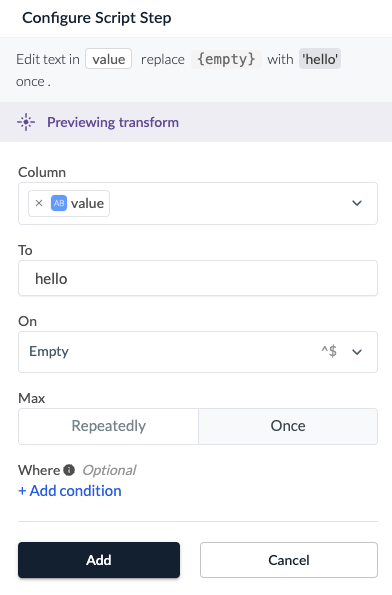
Edit Text
Replaces the whole content or parts of the content in a column.
Examples
| name |
|---|
| John Doe |
| Albert Fawn |
redacted| name |
|---|
| redacted |
| redacted |
| name |
|---|
| John Doe |
| Albert Fawn |
Set to value: redacted
On: Doe
| name |
|---|
| redacted |
| Albert Fawn |
Configuration
Column
Select the column(s) you want to edit.
To
Type the value you want to replace the cell content with.
On
Specifies a regex pattern that is used to conditionally replace the content of each column.
When any part of the cell matches the pattern, the entire cell will be replaced with the value given in the To field.
Choose from several predefined patterns or enter your own Regular Expression.
Note that regular expressions patterns can only be used to match against non-null cell values.
The empty string, ^$, is separate from a null value.
To match null values, use the Overwrite Null Values transform.
Where
Add a condition to specify when the transform should be applied. If this condition is not met for a row, the value in the selected column will remain unedited.