User-Defined APIs
User-Defined API connections enable you to ingest data from any API you have access to that meets certain criteria.
Each connection specifies one or more entities, each typically representing an API resource, from which pipelines can be created. You can create pipelines in Replace or Update mode depending on whether you specify that there’s a way to fetch new data during the connection setup.
API Requirements
APIs are designed in a wide variety of ways. To use an API with Etleap’s User-Defined API source connector, it must meet the following criteria:
- A server that returns JSON data via an HTTP(S) GET or POST request, with the desired records as a JSON array.
- Authentication via one of the supported methods.
- If the API requires paging through results, it uses one of the supported pagination strategies.
- If Etleap pipelines should extract new and updated data incrementally (i.e. pipelines should be in Update mode) there are additional requirements.
- If Update mode pipelines loading to Iceberg should be streaming, there are additional requirements.
Do you have an API that doesn’t meet these requirements? Contact us and we’ll try to help.
Source Setup
The following subsections outline the parameters you will need when going through the wizard that guides you through the connection setup. To access the setup wizard, go to Connections → User-Defined API.
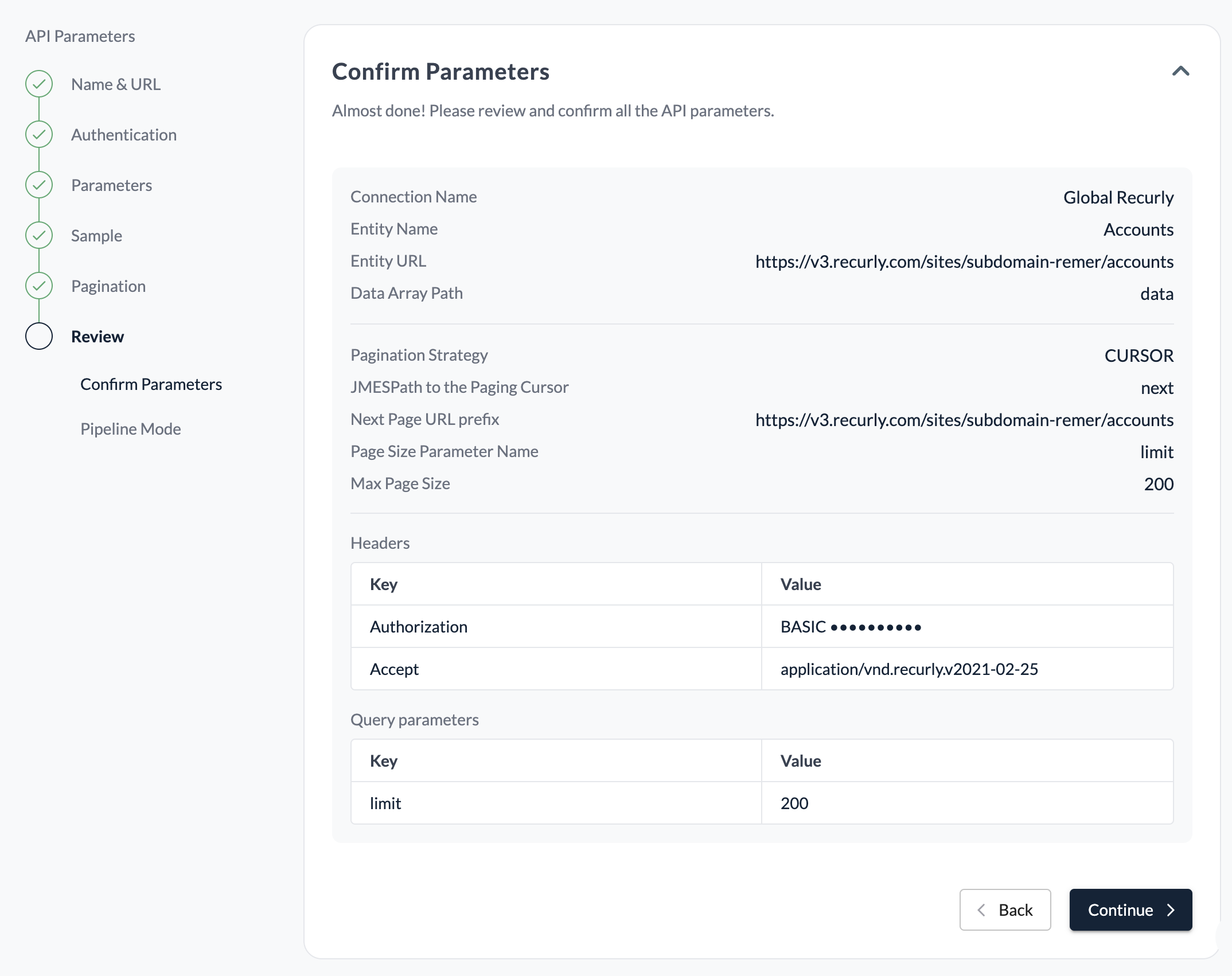
URL and Parameters
The basis of a User-Defined API connection entity is a URL that Etleap will make requests to in order to retrieve data records. You can specify additional query parameters and headers that will be included with every request in the Parameters section. Additional query parameters and headers, specified in later steps, will be added to these requests depending on the type of request that’s being made, e.g. retrieving a sample, fetching subsequent pages, or fetching the high watermark.
If you have selected POST as your request method, you will have the option to add your body parameters in the Parameters section.
Authentication
The following authentication methods are currently supported:
- Basic: A username and password are combined, encoded, and passed in an ‘Authorization’ header value prefixed by ‘Basic’. More details here .
- Bearer: An access token is passed in an ‘Authorization’ header value prefixed by ‘Bearer’. More details here .
- Header: Authenticates using a header key and value that you specify.
- OAuth: Uses the OAuth 2.0 client credentials flow for server-to-server authentication. Etleap will ask for a token URL, client ID and client secret. More details here
Pagination
Cursor, Offset and Page strategies are supported for APIs that require pagination.
Cursor
Each page returns a pointer to the next page. The pointer could either be a partial or a full URL. This pagination strategy takes the following parameters:
JMESPath to the Paging Cursor
This value points to the cursor field in the response. For example: if your response includes a paging.next attribute, select that here.
Next Page URL
This is the URL of the next page of data that will be retrieved. If your Paging Cursor does not include a full URL, you will need to include the portion of the URL that precedes the Paging Cursor in the Prefix field.
The full URL will be defined as a concatenation of the Prefix and the value in the Paging Cursor. For example, with the following response you would use a Prefix of https://api.example.com/marketing/v12/.
  "paging": {
    "next": {
      "after": "forms?queryParam1=8&after=Mw%3D%3D",
      "link": "https://api.example.com/marketing/v12/forms?queryParam1=8&after=Mw%3D%3D"
    }
}Pipeline Mode
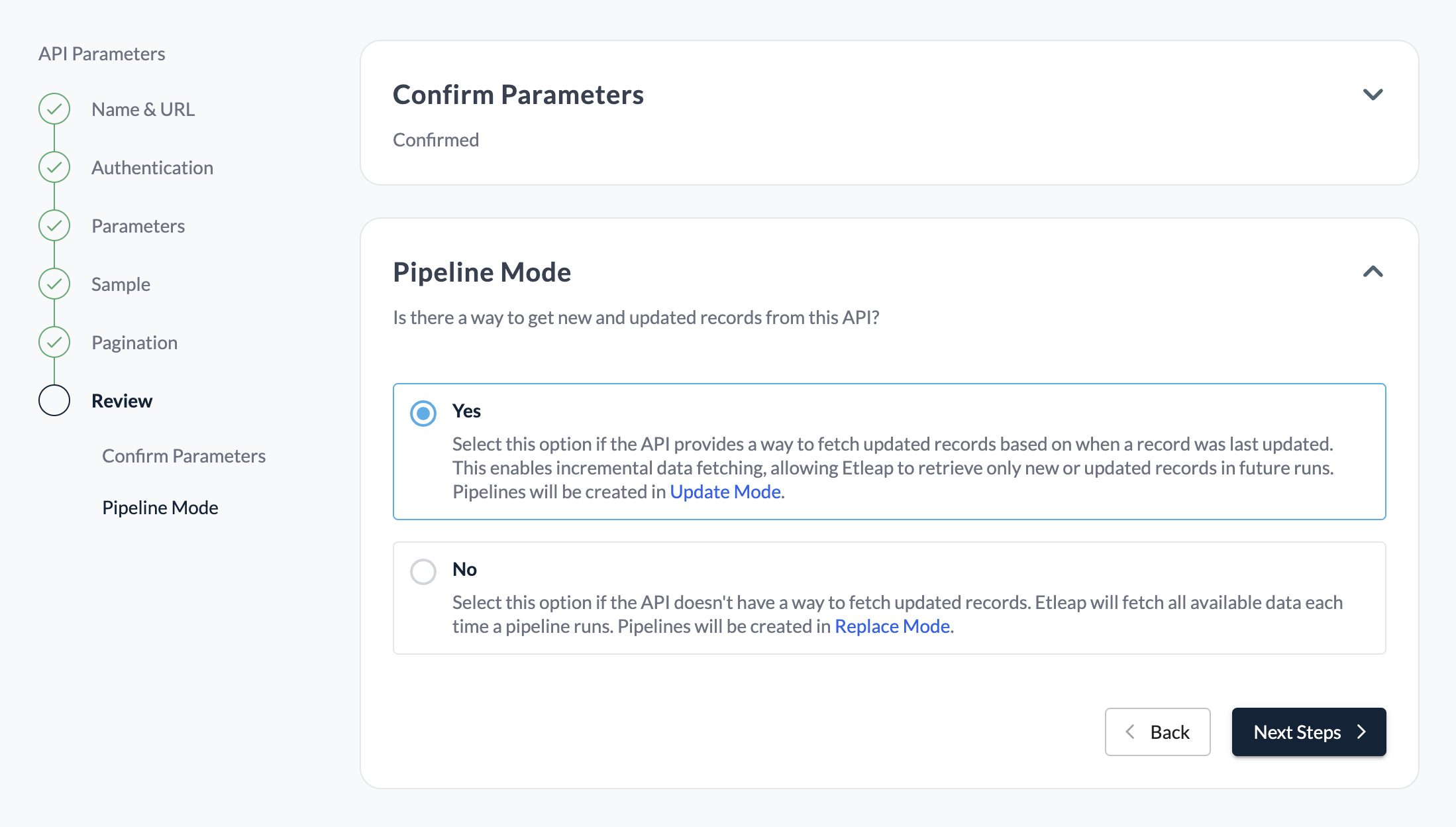
By default, pipelines created from your entity will operate in Replace mode. If you would like Etleap to extract new and updated data incrementally (i.e. in Update mode) there are two strategies available: Extracted Data Update Mode and Wall Clock Update Mode.
If your selected update mode uses required parameter(s) that were also set on the Query Paramters page, the values set on that page will only be used during sampling in the entity creation wizard. During operation, any pipeline created from this entity will override these parameters to reflect the values needed for your pipeline to function in the selected update mode.
Extracted Data Update Mode
The Extracted Data Update Mode allows for obtaining updated records based off of values, such as last_updated_timestamp, that exist in the data obtained directly from the API.
To enable an entity to use Extracted Data Update Mode, you will need the following:
- Record ID and update timestamp fields: The names of the fields in the data records that represent the unique record identifier and the update timestamp (in ISO 8601 format), respectively.
- Watermark query parameters: The query parameters that must be provided as part of the URL in order to return data in descending order of record update timestamp. This will be used to fetch the data high watermark.
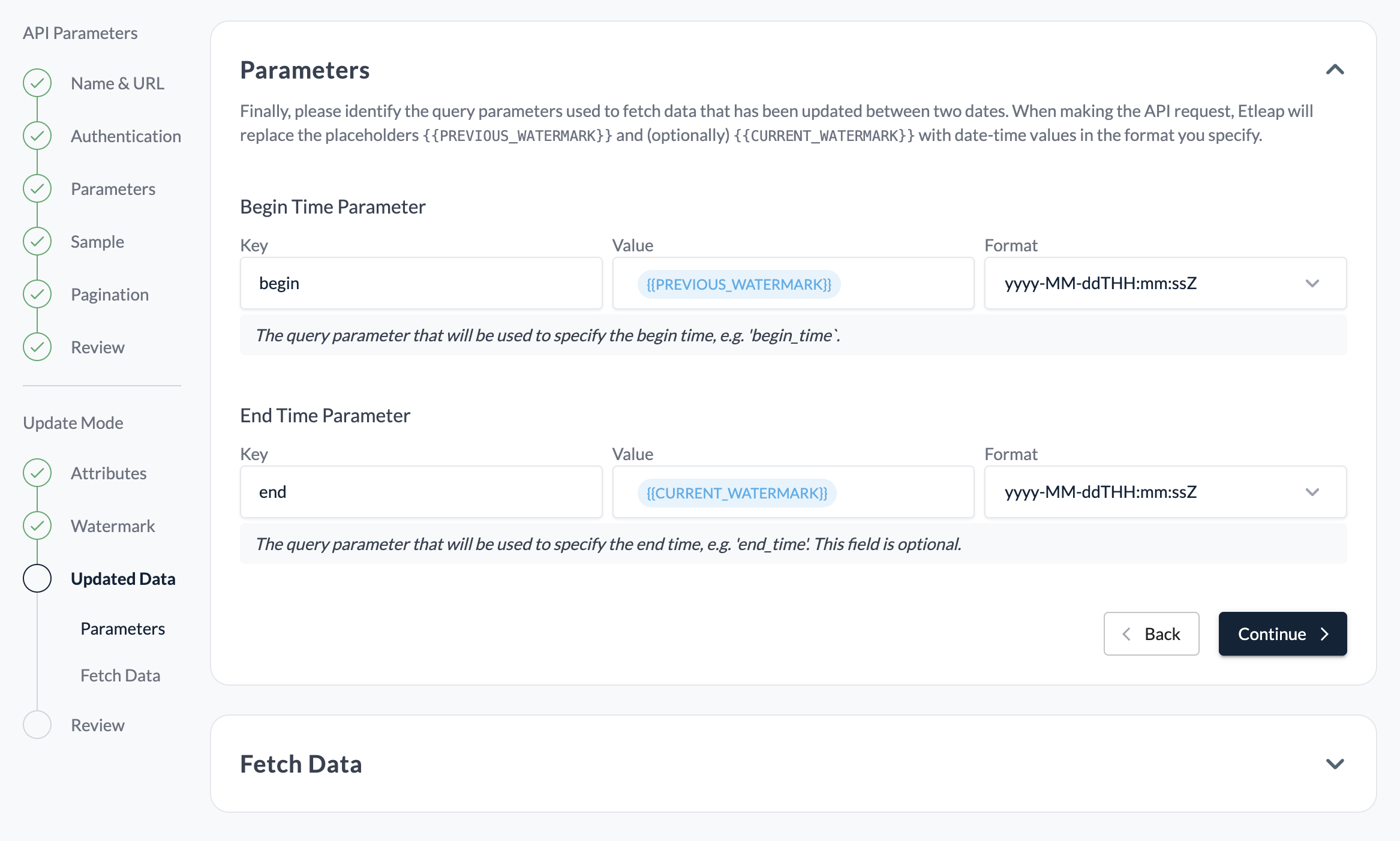
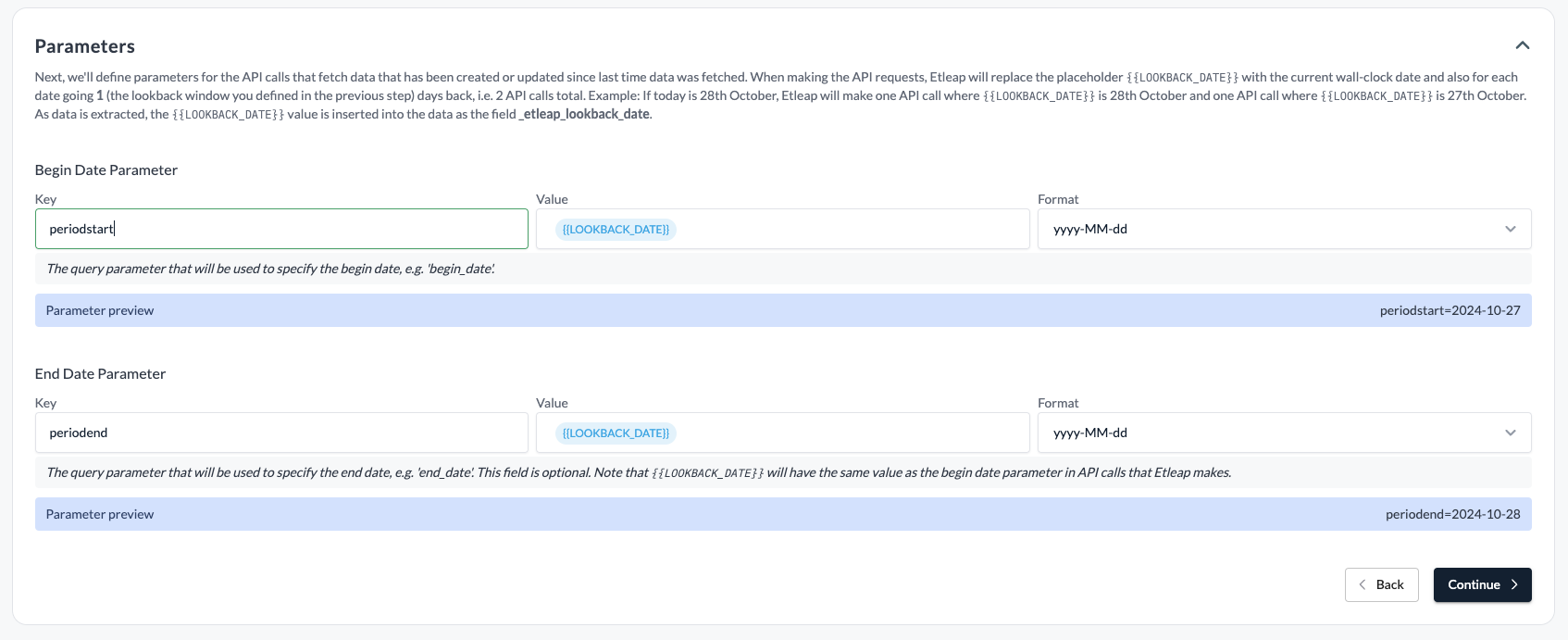
- Updated data query parameters: The query parameter that must be provided as part of the URL in order return data that has been created or updated since a given timestamp. You will get to choose the date format of the parameter - see screenshot below.
Additional Entities
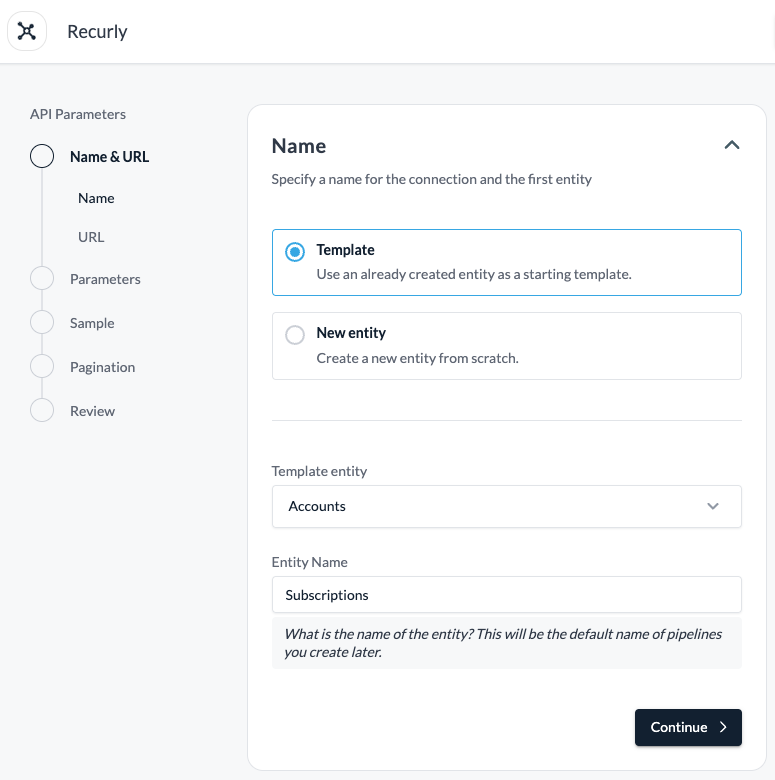
Once you have created your connection and first entity, you can add additional entities, which will share the connection’s authentication parameters only. You can specify additional entities’ parameters from scratch, or you can pre-fill the parameters from an existing entity in order to make the setup quicker.
Iceberg Destinations
Pipelines created from your entity can load to Iceberg destinations. Replace mode pipelines use batch ingestion. Update mode pipelines use streaming ingestion if the entity meets the requirements below, and batch ingestion otherwise.
Streaming Requirements
An Update mode entity must meet the following requirements for its pipelines to be streaming:
- It uses Extracted Data Update Mode.
- The update timestamp field contains a date and time, and the Begin Time Parameter uses a date and time format. Date-only formats such as
yyyy-MM-ddare not supported. - It uses the Cursor pagination strategy, or no pagination.
- The query parameters in the Parameters section return records in ascending order of the update timestamp field. The Watermark query parameters must still return records in descending order.
- The Begin Time Parameter filters records on the update timestamp field.
For example, if an API sorts records with sort and order query parameters, you would use the following query parameters.
Parameters
| Key | Value |
|---|---|
sort | updated_at |
order | asc |
Watermark query parameters
| Key | Value |
|---|---|
sort | updated_at |
order | desc |
When you save the entity, Etleap makes requests to the API to check the order of the records and the field that the Begin Time Parameter filters on. The API must return records with at least two different update timestamps for the check to pass. If the check fails, pipelines created from the entity use batch ingestion.
A pipeline keeps the ingestion mode it was created with. If you change an entity so that it meets these requirements, create a new pipeline to use streaming ingestion.
Streaming Limitations
- If the API returns records out of order while the pipeline is running, the pipeline stops.
- Streaming pipelines must be recreated after you change the record ID field, the update timestamp field, or the begin or end time parameters of their entity.