SAP OData
SAP OData connections give you access to your organization’s enterprise resource planning (ERP) data.
SAP OData connections are currently only available for pipelines loading data to Iceberg destinations.
Source Setup
To create a new SAP OData connection, you need your SAP instance domain and a technical user with access to the ODP layer and the ODATA v2 services. Follow the steps below to configure your technical user with the required permissions.
Create a custom role
-
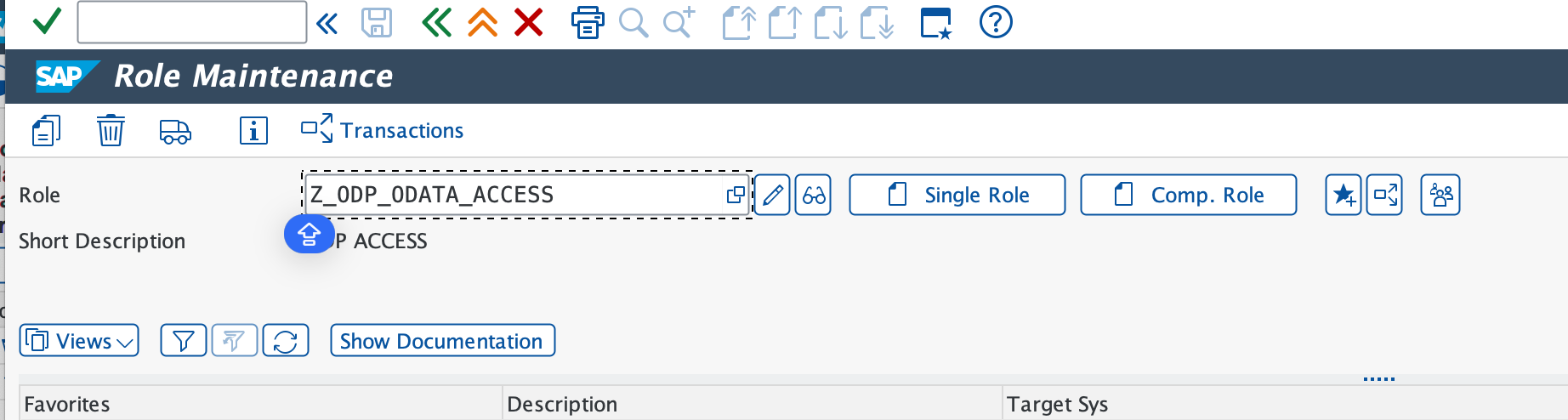
Open transaction PFCG, enter a name for the new custom role, and choose Single Role.
-
Open the Authorizations tab and select Change Authorization Data.
-
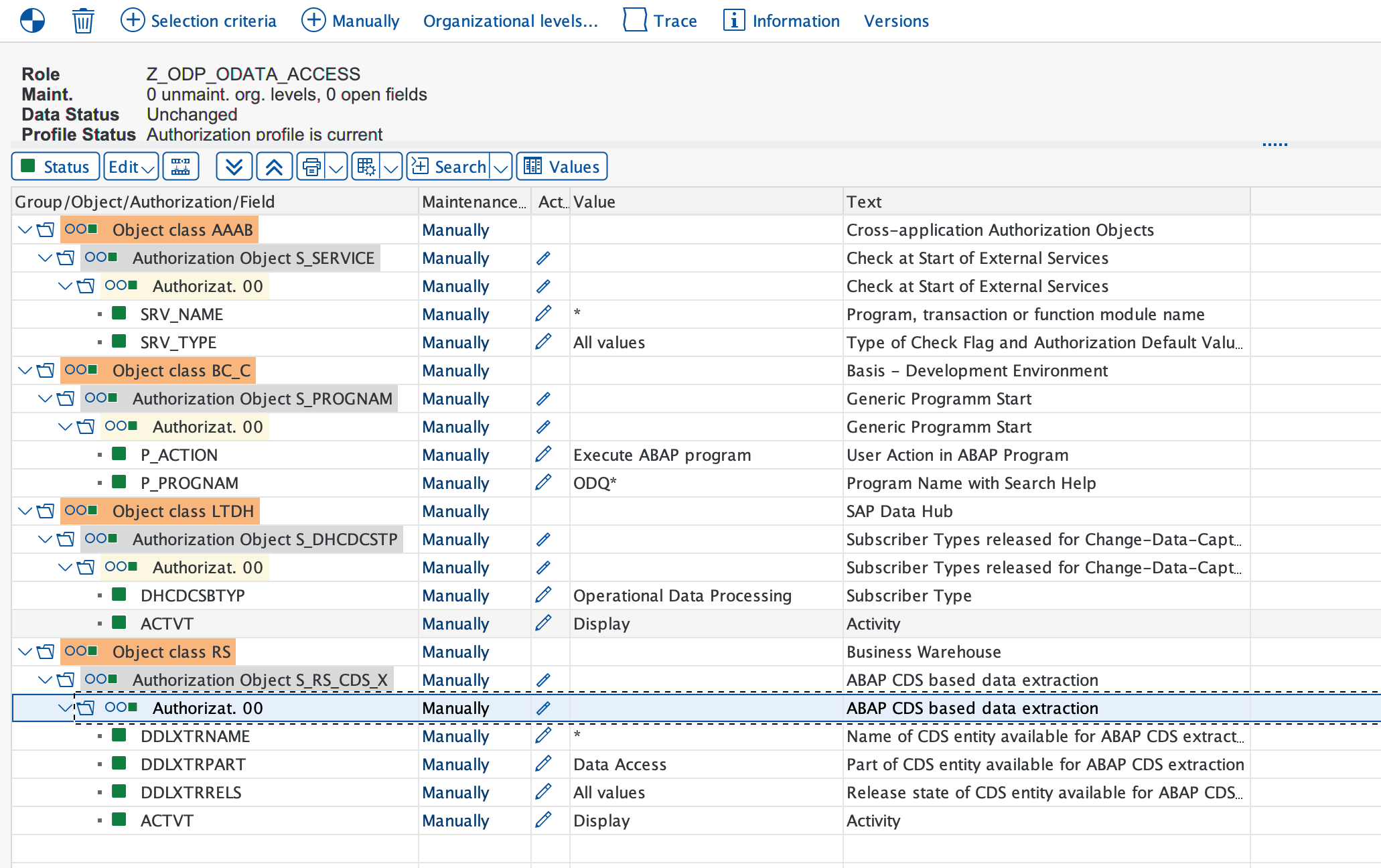
Add the following authorizations:
- S_SERVICE
SRV_NAME:*SRV_TYPE: All types
- S_PROGNAM
P_ACTION:BTCSUBMIT,SUBMITP_PROGNAM:ODQ*
- S_DHCDCSTP
DHCDCSBTYP: Operational Data ProvisioningACTVT: Display
- S_RS_CDS_X
DDLXTRNAME:*DDLXTRPART: Data AccessDDLXTRRELS: All valuesACTVT: Display
- S_SERVICE
-
Click Generate and save the role.
Create a new technical user
We strongly recommend creating an Etleap-specific technical user, as only one active subscription per user per ODP extractor is allowed.
-
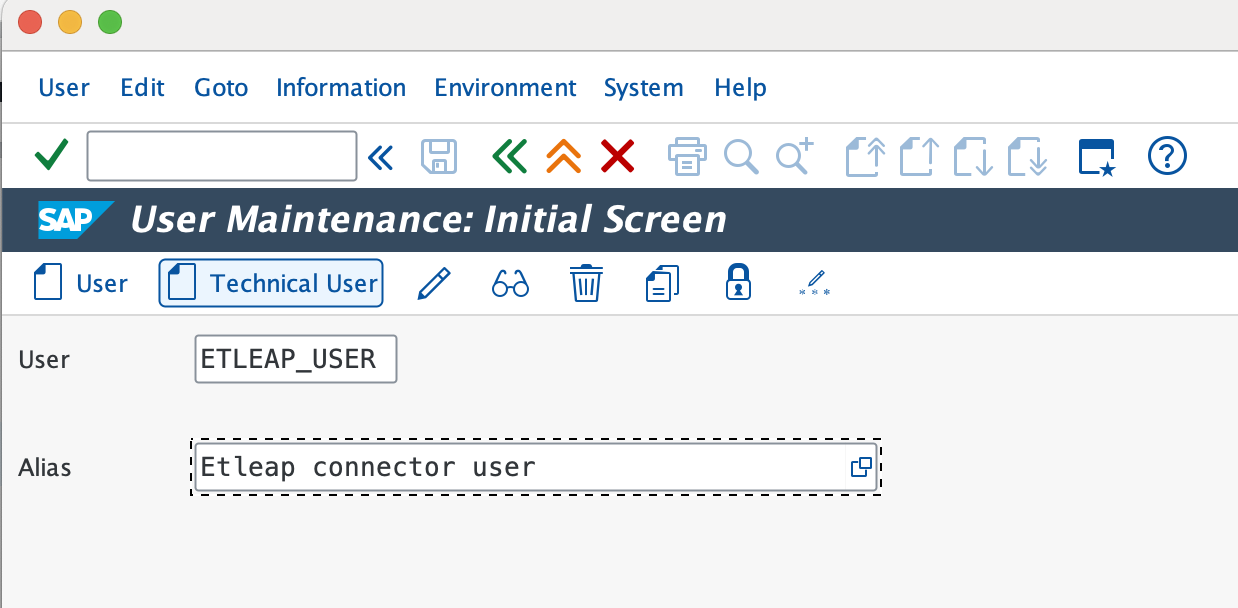
Open transaction SU01, enter the desired username, and choose Technical User.
-
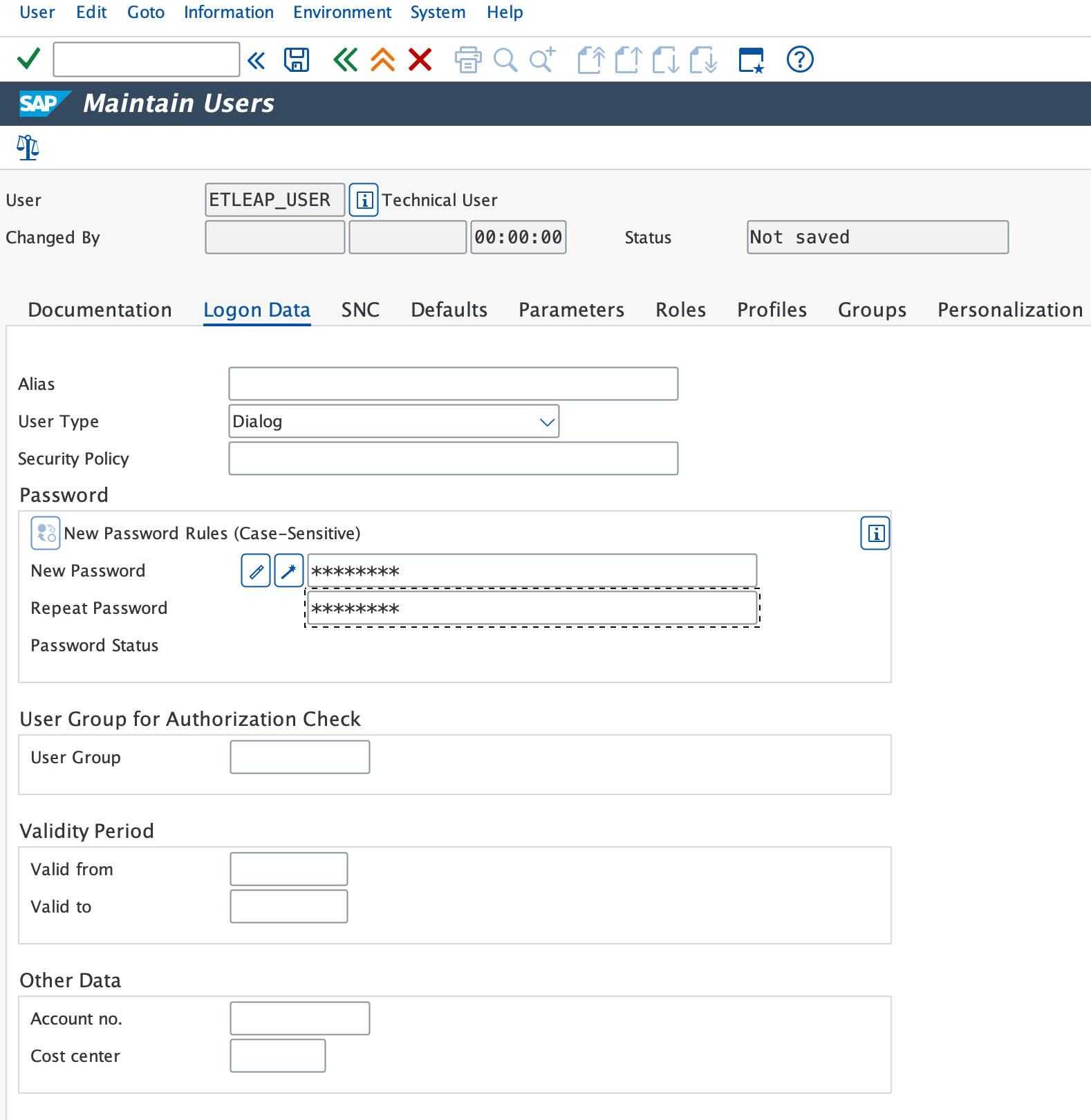
On the Logon Data tab, set a password.
-
On the Roles tab, assign:
SAP_BC_WEBSERVICE_CONSUMER- The custom role created above
-
On the Profiles tab, assign:
S_BI-WHM_RFCS_BI-WX_RFC
-
Save the user.
Prefer using an API? Go here and select SAP OData under the Body header to start creating a connection via API.
What Data is Available?
Update-Mode Deletes Support
Deletes are supported for update-mode entities with this connector.
You can build pipelines from any ODP Extractor enabled from the SAP Gateway Service Builder (SEGW) and exposed as an ODATA V2 service through the Activate and Maintain Services (IWFND/MAINT_SERVICE) transaction.
If you’re configuring ODP services in SAP, the following SAP documentation provides step-by-step guidance:
- ODP+ODATA Overview
- Enabling an ODP service through the SAP Gateway Service Builder (SEGW)
- Enabling a service in Activate and Maintain Services (IWFND/MAINT_SERVICE)
- Enabling deltas for CDS views using the analytics annotations
Pipeline Mode
ODP Extractors that contain the DeltaLinksOf entity will work in update mode
and Etleap will capture changes through the delta token mechanism.
All the other ODP extractors will work in replace mode.
Entity Listing
The exact list of objects available for extraction depends on your SAP instance. All available ODATA V2 services are listed in the resource picker. However, Etleap can only extract from services that are also backed by an ODP extractor.
Type Mapping
The table below shows how SAP OData data types map to Etleap data types.
Mapped Values
| SAP OData Type | Etleap Type |
|---|---|
| Edm.Int16 | INTEGER |
| Edm.Int32 | INTEGER |
| Edm.Int64 | INTEGER |
| Edm.Decimal | NUMBER |
| Edm.Single | NUMBER |
| Edm.Float | NUMBER |
| Edm.Double | NUMBER |
| Edm.Boolean | BOOLEAN |
| Edm.DateTime | TIMESTAMP_MILLISECONDS |
| Edm.DateTimeOffset | TIMESTAMP_MILLISECONDS |
| Edm.Binary | STRING |
| Edm.Byte | STRING |
| Edm.Guid | STRING |
| Edm.SByte | STRING |
| Edm.String | STRING |
| Edm.String | STRING |
Key Considerations
Partition Column
Etleap can optionally leverage a partition column that you select during pipeline creation. This column is used to parallelize the initial load, which is recommended for large datasets. For optimal parallelization performance, good candidates for the partition column include numeric or timestamp fields that increase over time, such as COUNTER, CREATEDAT, or LASTUPDATED.
Avoid columns with duplicate or non-sequential values, as they may lead to uneven partitioning. String columns are also supported.
ODP Mechanism
Etleap uses the Operational Data Provisioning (ODP) architecture and the Operational Delta Queue (ODQ) mechanism to extract data. Each Etleap pipeline creates an active subscription to the queue corresponding to the ODP extractor.
- Since each technical user can have only one active subscription per ODP extractor, Etleap allows only one pipeline per entity.
- We recommend periodically running the
ODQ_CLEANUPprogram to clean up old requests in the queues, especially before refreshing an Etleap pipeline.